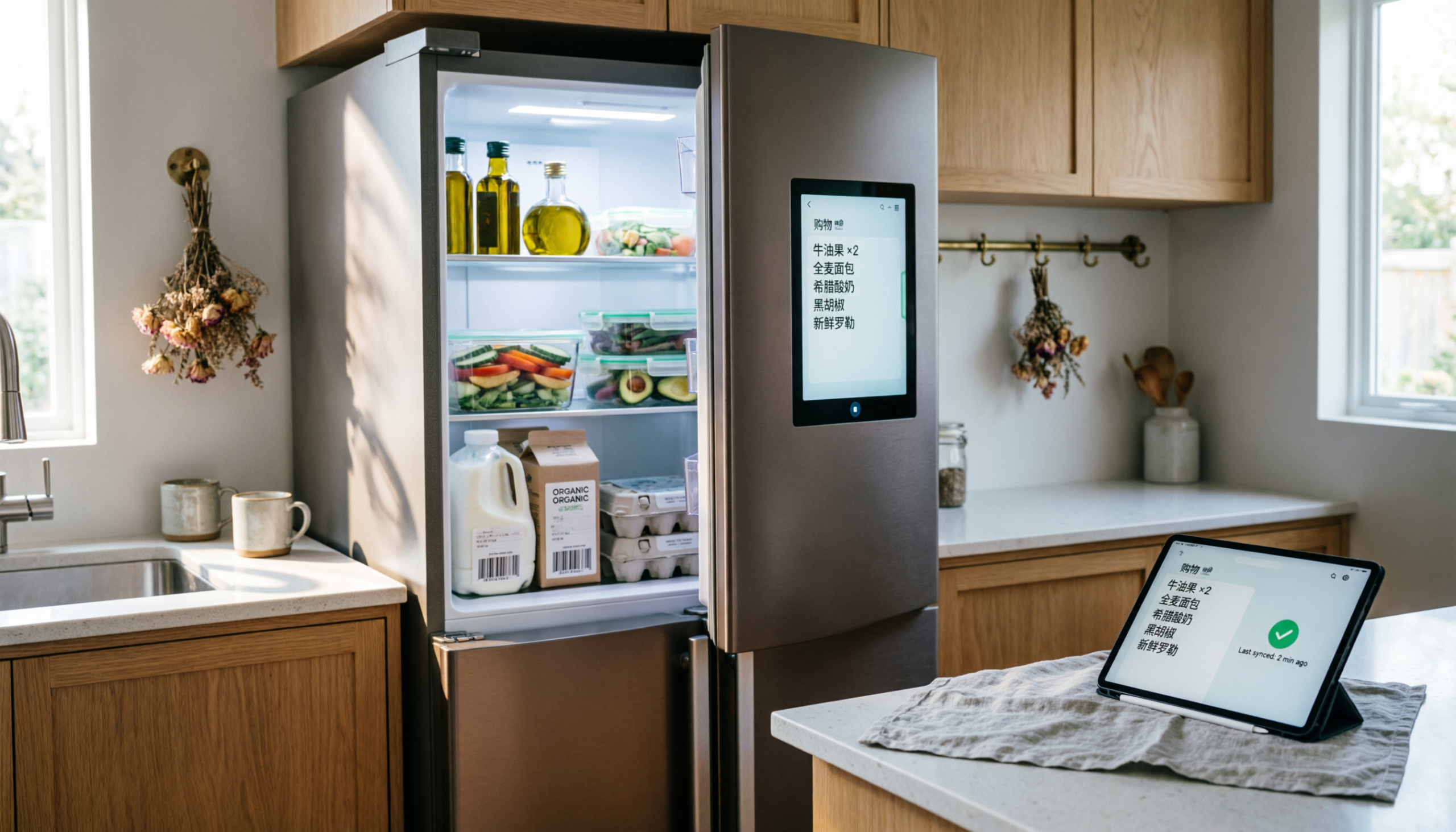
Kitchen Automation 101: Sync Smart Fridge with Real-Time Grocery Lists
A busy kitchen runs smoother when food tracking stops relying on memory. Smart fridges paired with live grocery lists remove guesswork, reduce waste, and cut repeat purchases.
This guide breaks down a practical setup that keeps inventory visible, alerts timely, and shopping decisions accurate even during rushed store trips.
The Problem: The “Double Buy” Trap
Standing in a grocery aisle, staring at eggs, trying to recall what sits at home. That moment leads to two common outcomes: buying duplicates or skipping needed items. Both cost time and money.
The root issue is simple: inventory lives in memory instead of a system. Traditional lists help, but only when updated consistently. Real kitchens rarely operate with that level of discipline.
Smart kitchen automation fixes this by turning the fridge into the source of truth. Cameras, sensors, and synced apps replace guesswork with live data.
The Hardware Layer: What Actually Works
Not every “smart fridge” earns its keep. Focus stays on models that solve visibility and tracking without adding complexity.
Samsung Family Hub
- Built-in internal cameras capture images every time the door closes
- Remote access through a mobile app shows current contents
- Touchscreen doubles as a control center for lists and orders
Best paired product:
- Samsung 26.5 cu. ft. Family Hub Smart Refrigerator (RF27T5501SR)
- Why it works: reliable camera system, stable app syncing, consistent updates
Reality check: camera angles miss small items tucked behind containers. Good habits still matter.
LG InstaView ThinQ
- Knock-to-light glass panel reveals contents without opening the door
- Strong app integration with ThinQ platform
- Inventory tracking relies more on manual input than cameras
Best paired product:
- LG 27 cu. ft. Side-by-Side InstaView Refrigerator (LSXS26366S)
- Why it works: simple interface, durable build, fewer software hiccups
Reality check: less automation than Samsung. Better for households that prefer partial control over full automation.
The Software Bridge (Step-by-Step Guide)
Hardware without software remains a fancy appliance. The real value comes from syncing fridge data with grocery list apps.
Step 1: Choose a List App That Syncs Instantly
Two reliable options:
- AnyList – clean interface, fast syncing, strong recipe integration
- Bring! – visually simple, ideal for shared households
Best companion devices:
- Amazon Echo Show 8 (3rd Gen) – hands-free list updates in the kitchen
- Apple iPad (9th Generation) – stable control hub mounted on a wall
Step 2: Connect Samsung SmartThings
- Open SmartThings app
- Add refrigerator under “Devices”
- Enable “Food Management”
- Link SmartThings account to AnyList or Bring! via integration settings
If direct integration fails, use IFTTT (If This Then That) as a bridge:
- Trigger: item added or removed from fridge
- Action: update grocery list
Step 3: Build a Habit Loop
Automation only works when inputs stay accurate.
- Add items immediately after unpacking groceries
- Remove items when finished, not later
- Use voice commands for speed
Without this loop, even the best system drifts out of sync within days.
Setting Up Expiry Alerts That Actually Help
Spoiled food is not a tech failure. It’s a timing problem.
How to Set It Up
- Open SmartThings or ThinQ app
- Navigate to food tracking section
- Assign expiry dates when adding items
- Enable push notifications
Practical Timing Rules
- Milk: alert 2 days before expiry
- Eggs: alert 4 days before
- Fresh produce: alert based on typical shelf life, not label date
Best supporting product:
- OXO Good Grips GreenSaver Produce Keeper
- Extends freshness, making alerts more accurate and less frequent
The Automation Shortcut: Ordering Straight From the Fridge
Touchscreen fridges now connect directly to grocery delivery platforms.
Instacart Integration
- Open Instacart app on fridge screen
- Sync grocery list
- Select preferred store
- Confirm delivery
Best supporting product:
- Amazon Basics Reusable Grocery Bags (Heavy Duty)
- Helps organize deliveries once items arrive
What Works Well
- Fast reordering of staples
- Reduced decision fatigue
- Accurate restocking based on real inventory
Where It Breaks Down
- Substitutions can disrupt planned meals
- Prices vary more than in-store shopping
- Delivery timing requires planning
Using Meal Planner AI Based on Fridge Contents
Smart fridges now suggest meals using current inventory. This feature sounds impressive but needs a reality filter.
How to Use It Properly
- Scan fridge contents through app
- Open meal planner feature
- Filter by available ingredients
- Adjust recipes manually before saving
What Actually Helps
- Reduces food waste
- Sparks meal ideas during busy evenings
- Encourages use of overlooked ingredients
What Needs Caution
- Recipe suggestions often assume extra pantry items
- Portion sizes may not match household needs
- Nutritional balance varies
Best supporting product:
- Instant Pot Duo 7-in-1 Electric Pressure Cooker
- Works well with flexible meal plans and mixed ingredients
Where Most Setups Fail (And How to Fix It)
Problem 1: Overcomplication
Too many apps create friction.
Fix: stick to one list app and one control platform.
Problem 2: Inconsistent Input
Skipping updates breaks the system.
Fix: use voice commands or quick-add widgets to reduce effort.
Problem 3: Overreliance on Automation
No system fully replaces human judgment.
Fix: treat automation as support, not replacement.
FAQs
1. Do smart fridges eliminate grocery lists completely?
No. Smart fridges improve accuracy but still rely on input. A synced list app remains essential for planning and shopping.
2. Is a smart fridge worth the cost for small households?
Not always. Smaller households often manage well with a shared app and a smart display. Full fridge automation makes more sense with higher food turnover.
3. What happens during internet outages?
Most fridges retain basic functions, but syncing and remote access stop. Keeping a simple backup list prevents disruption.
Final Take
Kitchen automation works best when simplicity leads the setup. A smart fridge, one reliable app, and consistent habits eliminate duplicate purchases and reduce waste. Skip unnecessary features.
Focus on visibility, timely alerts, and easy updates. That combination keeps food tracking accurate and daily routines steady without adding extra effort.